Shape the story
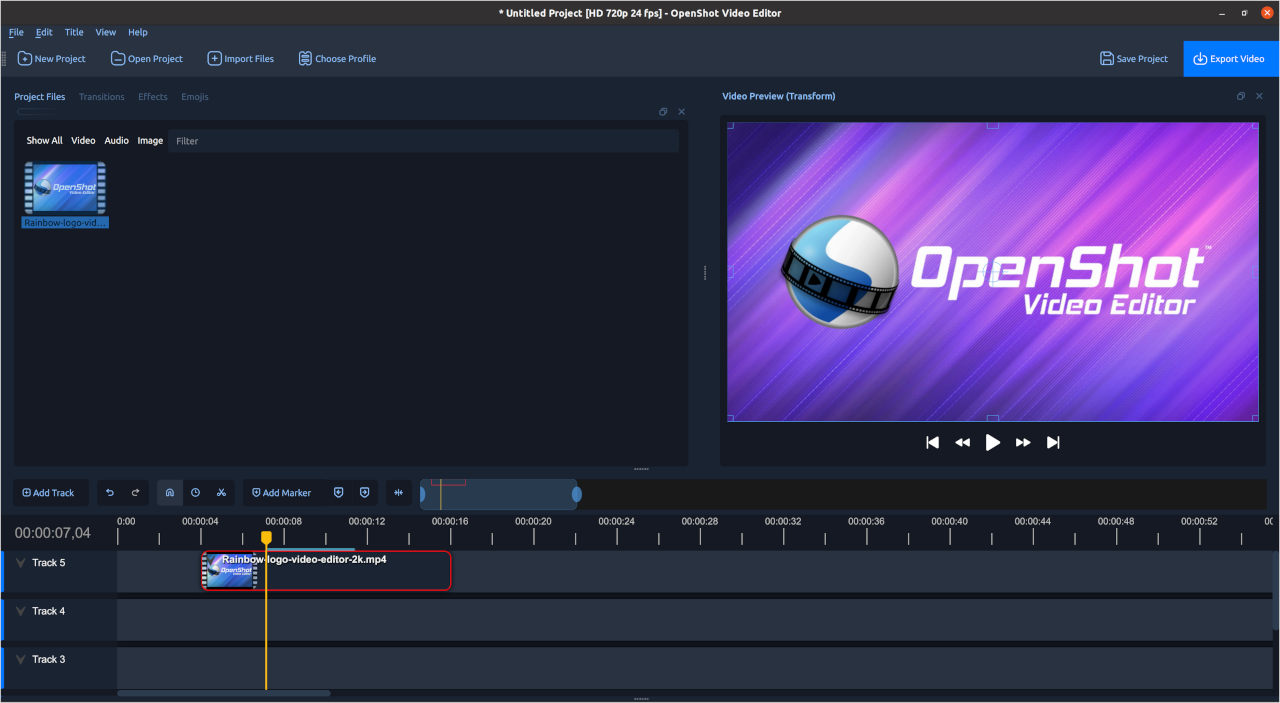
Arrange video, images, and sound on multiple tracks. Trim a moment, move a scene, and find the rhythm of your edit.
YOUR FOOTAGE. YOUR STORY.
Turn a folder of clips into a video with a point of view.
Explore OpenShot, the free, open-source desktop video editor.
From the first rough cut
to the final frame.
ROOM TO CREATE
Build a sequence first. Then add the details that make it feel like yours.
Arrange video, images, and sound on multiple tracks. Trim a moment, move a scene, and find the rhythm of your edit.
Use keyframes to animate position, size, rotation, opacity, and other properties over time.
Explore color adjustments, creative effects, and transitions to give each sequence a consistent finish.
Add editable titles to introduce a chapter, identify a speaker, or put the essential message on screen.
See audio waveforms, adjust volume, and combine sound with your visuals on the timeline.
Choose an available build for Windows, macOS, or Linux from the official download page.
Feature information: OpenShot’s official feature guide ↗
A SMALL PROJECT IS A GREAT START
Choose a few highlights from a trip, a celebration, or an ordinary day. Keep the sequence focused on what you want to remember.
Plan the order before you begin. Pair clear visuals with a voice or title that helps someone follow along.
Change a sequence, shorten a pause, or move a title. Save a new version and compare what changed.
FROM IDEA TO EXPORT
Keep the first project short, so you can learn the complete process.
Put your clips, images, and audio in one project folder. Decide which moment or message the video should focus on.
Bring your media into the editor, create a first sequence, and remove anything that distracts from the story.
Check the opening, ending, sound, and titles. Export a draft and review the resulting video before sharing it.
READY WHEN YOU ARE
Continue to the official OpenShot download page for current versions and installation instructions.
Check the free installer and Microsoft Store options.
View official downloads ↗Find the current installer for your Mac.
View official downloads ↗Explore the available Linux download and setup instructions.
View official downloads ↗Each link opens openshot.org in a new tab. No installer is downloaded automatically.
GOOD TO KNOW
The official website offers free downloads of the open-source editor. It also offers a paid Microsoft Store option to support development. Check the official download page for the current choices.
You can start with a small project: import a few clips, put them in order, trim the edges, and export a short video. Add more advanced tools as you become comfortable.
Use the links on this page to visit openshot.org. Choose your operating system and follow the provider’s current instructions. This page does not host installers.
OpenShot is available for Windows, macOS, and Linux. Check the official download page for supported builds, architecture, and installation details.
The official OpenShot user guide includes instructions for creating a first project and learning the editing tools. Follow the User guide link in the footer.
This is an independent product landing page. OpenShot’s official website is openshot.org. The name and product screenshot belong to their respective owners.
THE NEXT FRAME IS YOURS